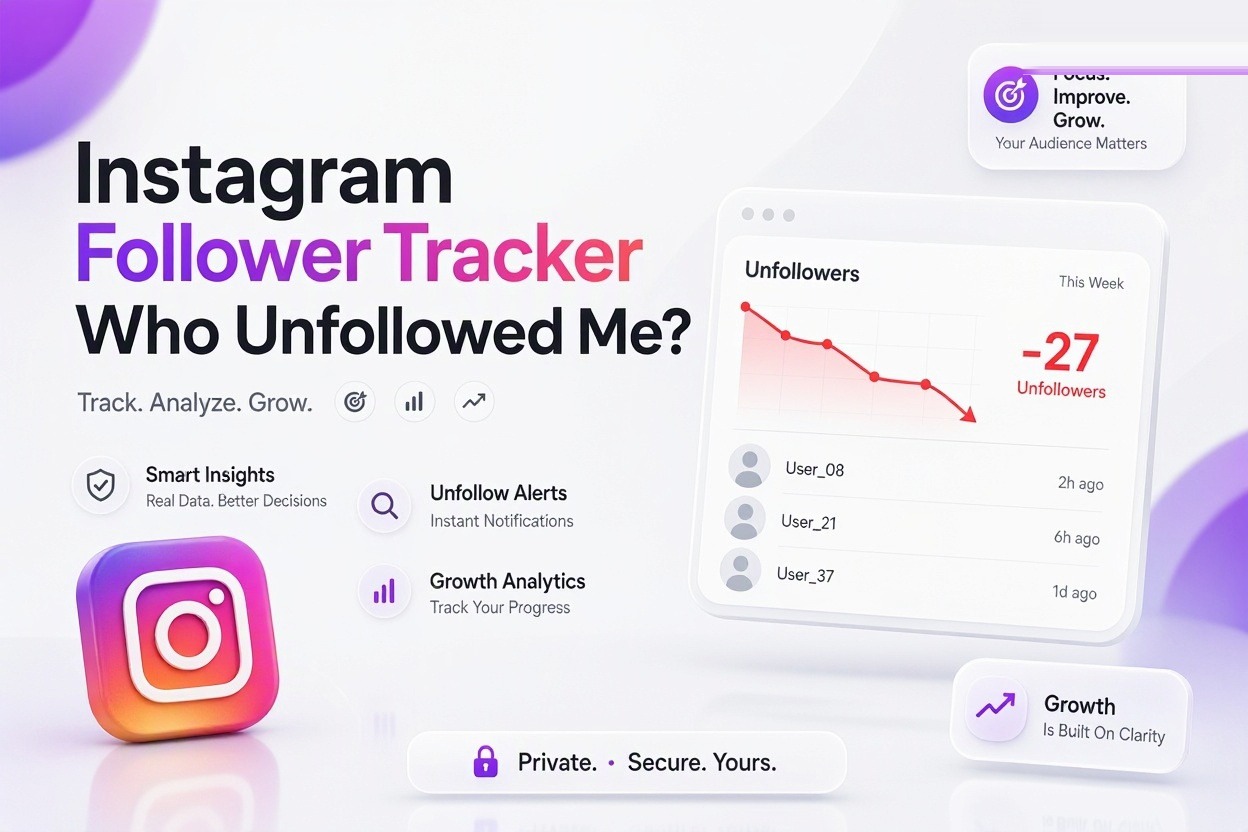
You opened Instagram, saw your follower count dropped, and had no idea who left. An instagram follower tracker who unfollowed me solves that problem fast by showing exactly which accounts stopped following you without manual checking or guesswork.
Most creators, influencers, and small businesses rely on these tools to protect engagement, spot fake followers, and understand audience behavior. Instead of scrolling through thousands of names, you get a clear list in seconds plus helpful growth insights.
In this guide, you will learn how unfollow tracking works, which apps are worth using, how to check manually, and how to stay safe. You will also get practical tips to reduce unfollowers and keep your account growing steadily.
How Instagram Unfollow Tracking Actually Works
Instagram does not send alerts when someone unfollows you, which is why so many people feel confused when numbers drop overnight. The platform focuses on privacy and positive interaction, so it keeps follow actions quiet and does not provide a built-in history log.
That gap creates strong demand for outside solutions that monitor changes for you. Understanding how those solutions work helps you pick a reliable option and avoid tools that overpromise or put your login at risk.
Why Instagram Does Not Show Unfollow Alerts
Instagram intentionally hides unfollow activity to reduce conflict and prevent harassment between users. If every unfollow triggered a notification, many people would feel pressured to keep following accounts they no longer enjoy. The current design protects user choice and keeps the experience low stress.
For creators, this means follower losses feel sudden and unexplained. You see a lower total but get no context about who left, when they left, or why. That lack of detail makes growth planning harder without extra tracking help.
How Third Party Trackers Detect Changes
Third party trackers work by taking regular snapshots of your followers and following lists. When you first connect, the app saves your current audience as a baseline. On the next scan, it compares the new list to the old one and flags missing names.
This method is simple but effective for daily monitoring. It can also reveal new followers, mutual follows, ghost followers, and accounts that never followed back. Accuracy depends on scan frequency and stable access to your profile data.
Best Ways to See Who Unfollowed You on Instagram
There are three main ways to find unfollowers, and the right choice depends on your audience size and how often you want updates. Small accounts can manage manual checks, while larger creators usually need automation to save time and stay consistent.
Each method has tradeoffs in speed, accuracy, and safety. Knowing the differences helps you avoid wasting money on features you do not need or risking your account with aggressive tools.
Using Dedicated Follower Tracking Apps
Dedicated apps are the fastest option for regular monitoring. After secure login, they track gains, losses, blocked users, and deleted accounts in one dashboard. Many also show engagement rates, best posting times, and inactive followers that hurt reach.
Popular choices include FollowMeter, Followers Tracker Pro, Reports plus, and InReports. Look for clear privacy policies, positive recent reviews, and reasonable scan limits. Avoid apps that ask for your password outside official login or promise instant viral growth.
Comparing Manual Checks and Automated Tools
Manual checks are free and safe but time consuming, especially once you pass a few hundred followers. Automated tools save hours each week and catch changes you would likely miss. However, automation requires sharing data access and often involves a subscription for full history.
For casual users, a weekly manual review may be enough. For brands, coaches, and influencers who depend on trust and social proof, automation provides better consistency and clearer long term trends.
Quick Comparison to Help You Choose
1. Manual list review works best under five hundred followers and needs about fifteen minutes per check.
2. Free tracker apps suit beginners who want daily unfollow alerts with basic reports and limited history.
3. Paid tracker plans fit creators above five thousand followers who need accurate exports, ghost follower filters, and long term analytics.
4. Spreadsheet logging is ideal for careful users who want full control without sharing login access.
Top Instagram Follower Tracker Apps Compared
Not all trackers deliver the same quality, and app store ratings can be misleading because features change often. The best tool for you should balance accurate detection, clean design, fair pricing, and responsible data handling without aggressive upsells.
Before installing anything, check when the app was last updated, read recent one star reviews, and confirm it uses official Instagram login. Outdated apps often show errors, miss unfollowers, or stop syncing after Instagram updates its system.
Popular Apps for iPhone and Android
FollowMeter is well known for simple unfollow alerts, new follower tracking, and secret admirers insights. Followers Tracker Pro offers detailed growth charts and mutual follow management. Reports plus focuses on clean reports for multiple accounts and lost follower history.
InReports and Analyzer Plus add deeper audience insights like story viewers, likers who do not follow, and deleted likes. Test free versions first for a few days. Pay attention to sync speed, false positives, and whether customer support responds quickly to issues.
Key Features Worth Paying For
Accurate daily scans matter more than flashy extras. Prioritize apps that show exact unfollow dates, backup your follower history, and let you export lists for review. Multi account support is valuable if you manage a personal profile plus a business page.
Other useful upgrades include ghost follower detection, non follower liker reports, and engagement analysis. Avoid paying for promises like real follower boosts or automatic unfollow tools, since those behaviors can trigger restrictions and damage trust with your real audience.
Free Versus Paid Unfollow Tracking Tools
Free tools are attractive, but they usually limit how far back you can see and how often scans run. Paid plans remove those limits and add better support, yet they are not always necessary unless you track growth closely for business reasons.
Think about your goals, posting frequency, and follower size. A casual user checking once a week has very different needs than a brand running daily campaigns and influencer partnerships.
What Free Plans Usually Include
Most free plans show recent unfollowers, new followers, and accounts not following back. You typically get basic charts for the last seven days and one connected account. Ads are common, and some reports may be locked until you watch videos or invite friends.
These limits are fine for light use. You can still spot major drops and identify recent unfollowers without spending money. Just remember that free apps may delay scans by several hours, so same day changes might appear late.
When Upgrading Makes Sense
Upgrading makes sense when you need longer history, faster alerts, or client ready reports. Businesses often benefit from thirty to ninety day trends, follower quality scores, and export options for audits. Active creators also appreciate priority sync during launches and giveaways.
Expect to pay monthly or yearly, with yearly plans offering better value. Always start with a short trial and cancel if accuracy does not improve. A good paid tracker should save you time, reduce confusion, and clearly justify its cost.
Helpful Checklist Before You Pay
1. Confirm the app shows exact usernames and dates for unfollowers, not just totals.
2. Check that history covers at least thirty days and allows data export.
3. Verify official Instagram login, clear privacy terms, and easy account disconnect.
4. Read recent reviews about accuracy, billing issues, and customer support quality.
5. Test the free version for three days before entering payment details.
How to Check Unfollowers Manually Without an App
Manual checking takes more effort but keeps your account completely safe because you never share access. It works well for smaller profiles or occasional checks after a campaign, collaboration, or viral post that may have attracted low quality follows.
The key is staying organized and consistent. Random checks rarely help, while a simple weekly routine makes patterns obvious and prevents small losses from going unnoticed for months.
Using Your Followers and Following Lists
Open your profile, tap followers, and use the search bar to look for specific usernames you suspect unfollowed you. You can also compare your following list against your followers list to spot accounts where the relationship is no longer mutual.
Instagram now lets you sort some lists by earliest or latest followed, which helps narrow recent changes. For a small account, screenshots taken weekly make it easier to remember totals and notice missing familiar names quickly.
Tracking Changes With a Simple Spreadsheet
Create a basic sheet with columns for date, follower count, following count, new followers, and suspected unfollowers. Record numbers every Sunday night and note any major content changes, giveaways, or controversies that week.
Over time, you will see which post types cause drops and which attract loyal followers. This method does not name every unfollower automatically, but it reveals trends and helps you connect audience behavior to your content strategy.
Step by Step Guide to Track Unfollowers Safely
Using a tracker safely starts with choosing a reputable app and connecting it the right way. Rushing through permissions or using multiple trackers at once increases errors and can look suspicious to Instagram security systems.
Follow a calm setup process, allow one full sync, and review results carefully. Safe tracking is about steady monitoring, not constant checking or rapid mass actions based on one day of data.
Setting Up Your First Tracker Correctly
Download the tracker from the official App Store or Google Play, not from links in comments or direct messages. Log in through Instagram official authorization and grant only the permissions needed for follower analysis. Deny access to direct messages or posting rights when possible.
Let the app complete its first baseline scan without closing it early. This may take several minutes for larger accounts. Once finished, explore the dashboard and confirm your current follower total matches what Instagram shows.
Reading Reports Without Overreacting
Check unfollow reports once daily at most, not every hour. Focus on weekly patterns rather than single accounts, since normal fluctuation is common after holidays, algorithm shifts, or viral exposure. One lost follower rarely signals a serious content problem.
Look for clusters instead. If ten people leave after the same type of post, that topic or tone may need adjustment. If losses are random across weeks, your content is likely stable and the changes reflect normal audience cleanup.
Safe Setup Steps for Beginners
1. Install one trusted tracker and remove old unused tracker apps from your phone.
2. Connect with official Instagram login and enable two factor authentication first.
3. Run the initial scan on stable WiFi and wait until the baseline completes fully.
4. Review unfollowers, new followers, and non mutual follows in separate tabs.
5. Disconnect any tool that shows wrong totals twice or asks for extra passwords.
Accuracy Limitations You Should Know
No tracker is perfect because Instagram limits how much data outside apps can access. Private accounts, deactivated profiles, username changes, and temporary blocks can all create confusing reports if you do not understand what the numbers mean.
Setting realistic expectations prevents frustration. A good tracker highlights likely changes, but you still need human judgment to confirm important cases before taking action like messaging someone or changing strategy.
Why Some Unfollowers Never Appear Correctly
Trackers can only detect changes after they start monitoring you. They cannot show who unfollowed you last year unless that data was already saved. If someone changes their username, the app may list them as one unfollower plus one new follower.
Deactivated or temporarily disabled accounts also disappear from lists and may look like unfollowers. In many cases, those profiles return later and reappear without actually refollowing you in the usual sense.
Delays and False Positives Explained
Most apps scan every few hours, not in real time, so alerts may lag behind actual activity. Poor internet, Instagram rate limits, or logging in on multiple devices can interrupt syncing and produce duplicate or missing entries.
False positives happen when Instagram briefly hides accounts during updates. If a familiar name appears as an unfollower but still sees your stories, wait twenty four hours and rescan before assuming they truly left your audience.
Protecting Your Account While Using Tracker Apps
Sharing access always carries some risk, so treat tracker apps like any other third party service connected to your digital identity. Choose carefully, limit permissions, and monitor your account for unusual activity after installation.
Good security habits matter more than any single app choice. Strong passwords, controlled sessions, and quick removal of suspicious tools keep your profile safe while still letting you benefit from helpful analytics.
Red Flags That Signal an Unsafe Tool
Avoid apps that ask for your Instagram password directly inside the app instead of using secure authorization. Be cautious of tools promising thousands of real followers, automatic likes, or mass unfollow with one tap. Those features often violate platform rules.
Other warning signs include no privacy policy, no developer contact, extremely generic reviews, and requests for payment outside the app store. If an app logs you out repeatedly or posts without permission, disconnect it immediately and change your password.
Best Practices for Secure Tracking
Use a unique strong password for Instagram and turn on two factor authentication with an authenticator app. Review connected apps under Settings and remove anything you no longer use. Never share verification codes with support agents or other users.
Limit yourself to one tracker at a time to reduce login conflicts. If you manage a business account, consider using Meta Business Suite for core analytics and a lightweight tracker only for unfollower names and basic trends.
Quick Safety Tips for Everyday Use
1. Enable login alerts so Instagram notifies you of new devices right away.
2. Review active sessions monthly and log out unknown phones or browsers.
3. Revoke tracker access before changing passwords or switching phones.
4. Avoid mass unfollow actions faster than twenty accounts per day.
5. Back up important content and contacts in case temporary locks occur.
Troubleshooting Common Tracker Problems
Even good trackers sometimes show wrong numbers, freeze during sync, or fail to load new data. Most issues come from connection problems, outdated versions, or Instagram temporary limits rather than permanent failures.
Work through simple fixes first before deleting history or switching apps. Patience often resolves sync errors, while rushed reinstalls can erase the baseline you need for accurate comparisons.
Sync Errors and Login Failures
If the app cannot sync, start by updating both Instagram and the tracker to the latest versions. Log out of the tracker, restart your phone, then log back in through official authorization. Check that your internet is stable and that VPN services are turned off during scanning.
Repeated login loops may mean Instagram temporarily restricted third party access. Wait several hours, avoid switching between many apps, and try again. If problems continue for two days, contact the developer with screenshots and your device details.
Wrong Counts and Missing Names
Wrong counts often result from private accounts, blocked users, or recently deleted profiles that Instagram hides from data feeds. Username changes can also split one person into two entries, inflating both unfollower and new follower totals.
To confirm, search the missing username directly on Instagram. If the profile still follows you, rescan to correct the error. If it is gone, note the date and look for content patterns rather than worrying about a single isolated loss.
Smart Strategies to Reduce Unfollowers and Grow Faster
Tracking unfollowers is only useful if it leads to better content and stronger relationships. People usually leave because posts feel irrelevant, too sales heavy, inconsistent, or very different from what they originally followed for.
Instead of chasing everyone who leaves, focus on keeping the right audience engaged. A smaller loyal community that comments, shares, and buys will always outperform a large passive follower count with low trust.
Improving Content That Keeps Followers Around
Review your best performing posts from the last ninety days and look for common themes, formats, and topics. Create more of what earns saves and shares, since those signals show true value rather than casual scrolling interest. Keep your bio clear so new visitors know what to expect.
Maintain a consistent posting rhythm you can sustain, such as three quality posts per week plus stories. Sudden bursts followed by silence often trigger unfollows. Use captions that invite conversation and respond to comments within the first few hours.
Building Real Engagement Instead of Chasing Numbers
Reply to comments with thoughtful answers, not just emojis, and ask follow up prompts that encourage discussion. Use polls, quizzes, and question stickers in stories to learn what your audience wants next. Feature follower comments or results to build community ownership.
Collaborate with creators in your niche for live sessions, joint posts, or helpful shoutouts. Clean your following list occasionally by removing inactive or irrelevant accounts. A healthy mutual network improves reach and makes your profile more attractive to ideal new followers.
Real Examples of Fixes That Work
1. A fitness coach stopped daily supplement ads and unfollows dropped after adding two free workout tutorials weekly.
2. A travel page reduced random memes and kept followers by grouping posts into clear city guides and budget tips.
3. A small boutique cut posting from three times daily to once daily and saw higher saves with fewer complaints.
4. A food creator added ingredient lists on screen and kept busy viewers who previously left due to unclear recipes.
Conclusion
Tracking losses is about understanding, not obsessing over every single name. Use reports as feedback, tighten your content focus, and keep engaging with people who stay. When you combine careful monitoring with consistent value, short term drops turn into long term loyalty and steady growth.
If you want a simple starting point, choose one reliable instagram follower tracker who unfollowed me and review its weekly summary every Sunday to guide your next posts.
Frequently Asked Questions
How to See Who Unfollowed You Without Paying?
You can search usernames manually in your followers list or use a free tracker with basic alerts. Manual checks suit small accounts, while free apps save time by comparing snapshots automatically for recent changes daily.
Why Instagram Follower Counts Change Overnight?
Counts change because people unfollow, deactivate accounts, or get removed as spam by Instagram. Giveaways, controversial posts, and inactive periods often cause sudden drops. Track weekly trends instead of reacting to one overnight shift alone.
How Often Should You Check Unfollower Reports?
Checking once daily or weekly is enough for most users and keeps data meaningful. Hourly checks create stress and increase sync errors. Businesses during launches may check daily, then return to weekly reviews after campaigns end normally.
Whether Unfollow Tracker Apps Are Safe to Use?
Reputable apps using official login with limited permissions are generally safe when used sparingly. Risk rises with unknown developers, direct password requests, or aggressive auto actions. Enable two factor authentication and remove unused connections promptly every month.
What to Do After Finding Your Unfollowers?
Review patterns before taking action and avoid messaging people angrily about leaving. Adjust content that clearly caused drops, keep engaging loyal followers, and continue posting consistently. Focus on attracting ideal followers who match your niche and values.