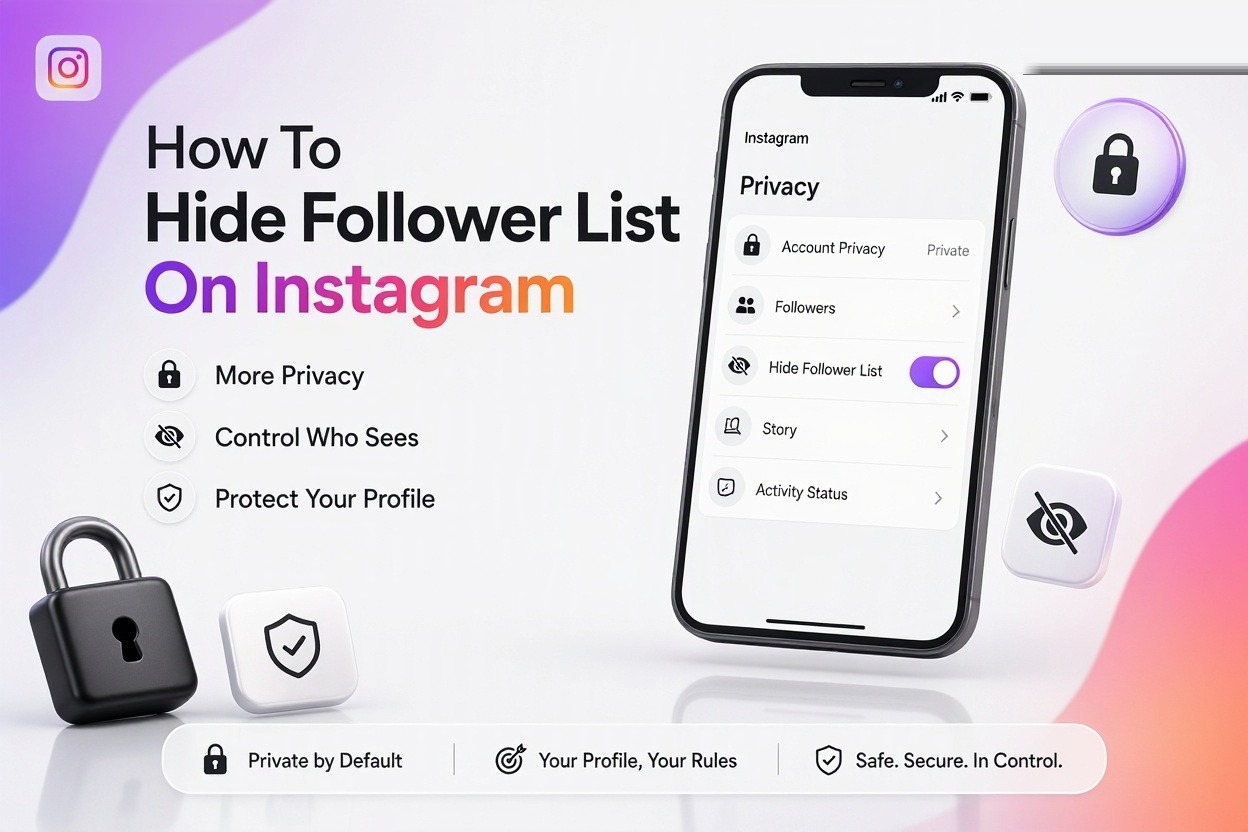
You cannot turn off your follower list with one tap, and that frustrates many creators and everyday users who value privacy. If you are learning how to hide follower list on instagram, the answer involves private mode, careful follower management, and smart blocking. These methods work reliably today.
Many people want to keep their connections discreet from nosy relatives, former partners, competitors, or strangers who judge their activity. Others manage brands or parenting accounts and need tighter boundaries. Understanding your options helps you protect relationships, reduce unwanted attention, and feel more comfortable sharing photos and stories daily.
In this guide you will learn what Instagram allows, what it does not allow, and which workarounds protect your audience. We will cover private accounts, removing followers, blocking, restricting, and close friends settings. You will also get troubleshooting help for common situations where followers still appear visible despite changes.
You do not need third party apps or tricks to gain control. With a few minutes in settings, you can limit who browses your followers, who sees your posts, and who interacts with you. Let us walk through each method so you choose the right balance of privacy and visibility.
Why People Want More Privacy Around Followers
Instagram followers feel public in a way that surprises users, because anyone can tap your profile and scroll through names, photos, and mutual connections. For personal accounts, that exposure can invite gossip, jealousy, or unwanted contact. For businesses, it can expose client lists and influencer partnerships to competitors watching carefully.
Many users worry about safety rather than vanity, especially teens, parents, teachers, and professionals with public roles. A visible follower list makes it easy for strangers to map friendships, target children, or harass someone through contacts. Keeping that circle less visible reduces pressure and creates a calmer, controlled online experience.
Common Reasons Users Seek Follower Privacy
Creators often hide their audience to prevent rivals from poaching collaborators, while everyday users want to avoid drama after breakups or family disagreements. Job seekers may not want employers scrolling social ties. In each case, the goal is not secrecy itself, but healthy control over who knows whom in life.
The Truth About Instagram Privacy Settings
Instagram does not offer a single switch to conceal followers while keeping everything else public, which is important to accept. Your follower list visibility is tied to account type. Public accounts show followers and following to everyone, including people who do not follow you and who find you through search.
Private accounts work differently because only approved followers can see posts, stories, and follower lists. Visitors who do not follow you see counts but cannot tap through names. That distinction matters when you plan how to hide follower list on instagram without losing reach, especially if growth remains a priority.
What Instagram Currently Allows and Restricts
You can control who follows you, who sees content, who tags you, and who messages you through privacy toggles. You cannot, however, keep a public profile while hiding only followers from everyone. Anyone evaluating options should understand this tradeoff before trusting third party promises that claim otherwise today.
Quick Privacy Snapshot
Point 1 – Public accounts show follower names to everyone, with no native hide option available.
Point 2 – Private accounts hide follower names from non followers, showing only counts.
Point 3 – Removal, blocking, and restriction add extra layers when going private is not enough.
Point 4 – Third party apps that promise hidden followers are unsafe and should be avoided.
Switching to a Private Account for Full Control
Making your account private is the most effective way to limit follower visibility without deleting anyone. Once enabled, only people you approve can browse followers, likes, and posted content. Strangers see only your picture, bio, and counts. This single change solves most privacy concerns for personal users and families immediately.
The tradeoff is reduced discovery, because private posts do not appear in public explore, hashtags, or location pages the same way. Businesses, influencers, and job seekers should weigh this carefully. If visibility matters, you may prefer removing or blocking specific people instead of going private while still keeping reasonable control.
Steps to Make Your Account Private
The setting takes less than a minute to enable on phone or desktop, and you can reverse it anytime. After switching, review pending requests and current followers to ensure the audience matches your comfort level. Remove anyone unfamiliar before sharing personal updates, vacation plans, or images of children and life.
Removing Followers to Curate Your Audience
Removing a follower is quieter than blocking and ideal when you want to limit visibility without drama. The person loses access to private posts but receives no notification. They may still find public content again, so combine removal with private mode for stronger, lasting control over who watches your updates.
This approach works well for cleaning old acquaintances, spam accounts, or followers accepted long ago. Review your follower list every few months and remove profiles with no photo, strange usernames, or no shared history. Regular maintenance keeps your audience relevant and reduces the chance sensitive posts reach the wrong eyes.
How to Remove Followers Without Alerting Them
Open your profile, tap followers, then search for the name you want to remove. Tap remove beside that account and confirm. Repeat as needed for others. If your account is private, removed people must request again to see content, which creates a natural filter against casual snoopers and bots.
Privacy Action Checklist
Step 1 – Open Instagram settings, go to Account Privacy, and turn on Private Account.
Step 2 – Open your follower list and remove unfamiliar, inactive, or spam accounts.
Step 3 – Review follow requests carefully and approve only people you trust.
Step 4 – Revisit this checklist monthly to keep your audience clean and relevant.
Blocking Accounts to Hide Your Social Circle
Blocking is the strongest option when someone repeatedly checks your followers, copies your contacts, or harasses you through mutuals. A blocked person cannot find your profile, posts, stories, or follower names through search. They also lose any follow connection, which immediately cuts their access to future updates and interactions completely.
Use blocking selectively for ex partners, strangers, fake accounts, or anyone who makes you uncomfortable. Keep in mind they might view public content from another account, so private mode still helps. Document harassment if needed, then block and report through Instagram tools to prevent contact across new profiles they create.
When Blocking Makes Sense for Privacy
Consider blocking when removal and restriction have not stopped someone from monitoring your network. Signs include repeated follow requests, screenshots of your followers, messages to your friends, or creating backup accounts. In these cases, firm boundaries protect both you and the people connected to you online every day.
Restricting Versus Blocking for Subtle Privacy
Restricting is useful when you cannot block someone, such as a coworker, classmate, or family member. A restricted person can follow you, but their comments stay hidden unless you approve them, and messages move to requests. They will not see when you are online or have read their texts anymore.
This middle ground helps you quietly limit drama while keeping follower details less exposed. For example, a restricted relative sees fewer stories if you use close friends, and their influence drops. Pair restriction with thoughtful story settings and occasional follower cleanup for a balanced approach that preserves relationships and privacy.
Key Differences Between Restrict and Block
Blocking cuts all visibility and contact, while restricting limits interaction without alerting the other person. Blocked users know something changed when they cannot find you. Restricted users usually notice nothing. Choose blocking for safety threats and restriction for awkward social situations where politeness still matters a lot.
Private Remove Block and Restrict Compared
Option 1 – Private mode limits all non followers at once and is best for overall privacy.
Option 2 – Remove is quiet and good for pruning specific people without confrontation.
Option 3 – Block is strongest and stops all access, search visibility, and contact.
Option 4 – Restrict is subtle and limits comments and messages without alerting the person.
Managing the Following List Alongside Followers
Many guides focus only on followers, but your following list can reveal just as much about friendships, crushes, employers, and interests. If privacy is the goal, clean both sides together. Unfollow inactive accounts, former partners, or sensitive pages, and avoid following controversial profiles from your main public identity whenever possible.
Consider using a second private account or close friends list for interests, support groups, or niche hobbies you prefer to keep discreet. Keep your main account professional and minimal. This separation prevents followers from connecting dots between public image and private activities, which is where unwanted exposure begins for users.
Organizing Following for Better Privacy
Audit who you follow by checking categories like friends, family, work, entertainment, and sensitive topics. Remove or mute accounts that no longer fit your goals. Turn on notifications only for trusted profiles. A tidy following list protects privacy and improves your feed, making scrolling calmer, faster, and more enjoyable overall.
Limiting Profile Visibility in Search and Suggestions
Even with a private account, people can discover you through contacts, search suggestions, and synced numbers. To reduce this, turn off account suggestions, limit contact syncing, and remove your number or email from public view. These small tweaks lower the odds strangers connect your profile to your world identity.
Also review tags, mentions, and story sharing permissions, because friends can expose your network indirectly. Disable automatic adding to group chats, require manual approval for tags, and limit mentions. When others cannot tag or add you freely, it becomes harder for outsiders to map your social circle through mutual activity.
Reducing Discovery Beyond Followers
Go to settings, open account privacy, and explore toggles related to visibility, activity status, and message controls. Turn off activity status if you prefer quiet browsing. Limit story replies to followers you follow back. Each setting adds a layer of control that makes your presence feel safer and more intentional.
Practical Tips to Stay Less Visible
Tip 1 – Turn off contact syncing and similar suggestions to reduce discovery by strangers.
Tip 2 – Hide activity status and limit story replies to people you follow back.
Tip 3 – Require manual approval for tags and keep location details out of posts.
Tip 4 – Use Close Friends for personal stories while keeping your main feed neutral.
Troubleshooting Common Privacy Issues
Sometimes users switch to private yet notice strangers still see follower names through caches or mutual lists. This usually resolves after a delay, but remove suspicious followers, log out of third party viewers, and revoke access to apps. Avoid any service that promises to conceal followers automatically for a fee.
Another issue is a removed follower reappearing because they followed again from a different account or mutual invite. Check your follower list weekly after changes, approve requests carefully, and keep your profile private during cleanup. If harassment continues, block known accounts from that person and tighten message and tag permissions.
Fixing Visibility That Will Not Update
If changes do not appear, update the app, clear cache, and check Instagram elsewhere. Review whether your account switched back to public after linking business tools, because some features prompt this change. Re enable private mode, confirm your choice, and wait hours before testing with a non follower account.
Best Practices for Long Term Instagram Privacy
Long term privacy works best as a habit rather than a one time fix, so schedule reviews of followers, tags, and story settings. Keep your audience intentional instead of chasing numbers. A smaller, trusted circle leads to engagement, more comments, and less anxiety about who watches moments or business updates.
Educate friends and children about respecting boundaries, such as not tagging location in time or sharing stories beyond approved audiences. Agree on simple rules for events, travel, and school activities. When everyone understands expectations, your follower privacy strategy becomes more effective and your overall Instagram experience stays positive and relaxed.
Building a Sustainable Private Presence
Post for followers, use highlights wisely, and keep details out of bios and captions. Review login activity and enable two factor authentication to prevent unauthorized access. With these habits, privacy becomes part of your routine rather than a reaction to problems, and your account stays welcoming to the right people.
Daily Habits That Protect Your Audience
Habit 1 – Review new followers weekly and remove accounts that look suspicious.
Habit 2 – Check tag and mention settings after every major app update.
Habit 3 – Keep personal topics in Close Friends rather than public stories.
Habit 4 – Enable login alerts and two factor authentication for stronger account security.
Conclusion
Protecting your audience is possible once you accept there is no magic hide button. Private mode, thoughtful removals, blocking, and restricting give layered control for different comfort levels. Start with the least restrictive option that solves your concern, then adjust gradually as needs and audience change over time.
If friends ask you how to hide follower list on instagram, explain that privacy comes from account settings and habits rather than secret tricks. Recommend going private first, cleaning followers regularly, and using restriction for awkward contacts. This simple advice prevents confusion and keeps expectations realistic for beginners seeking calm.
Remember to revisit settings after app updates, life changes, or new projects that attract attention. What worked as a student may not suit a new job, parenthood, or business launch. A quick monthly check of followers, tags, and story controls keeps boundaries strong without requiring constant worry or major overhauls.
You deserve to share moments on your own terms while keeping relationships and contacts discreet. Choose tools that match your values, stay consistent with maintenance, and do not hesitate to tighten access when something feels off. With steady habits, Instagram can remain enjoyable, social, and safe for everyone you trust.
Frequently Asked Questions
Can You Hide Followers While Staying Public?
No, Instagram does not allow public accounts to hide followers from everyone. Your names remain visible to all visitors. To restrict access, switch to private, remove specific followers, or block unwanted viewers who check your connections regularly.
Will Blocked Users Still See Your Follower Count?
Blocked users cannot find your profile, posts, or follower details through search or direct links. Your count becomes invisible to them completely. For full privacy, also make your account private to stop new accounts from viewing your audience.
Does Removing a Follower Notify That Person?
No, Instagram sends no notification when you remove a follower. The person simply loses access to private content. They might notice later if they visit your profile. Private mode ensures they must send a new request to regain access.
Can Followers See Who You Follow on Instagram?
Yes, your following list is visible under the same rules as followers. Public accounts show it to everyone, while private accounts show it only to approved followers. Clean both lists and adjust story settings for consistent privacy across your profile.
Why Do Followers Still Appear After Going Private?
Delays, cached data, or mutual friend lists can make old information appear temporarily. Update the app, wait a few hours, and remove unfamiliar followers. Also revoke third party viewer access and confirm your account did not switch back to public.