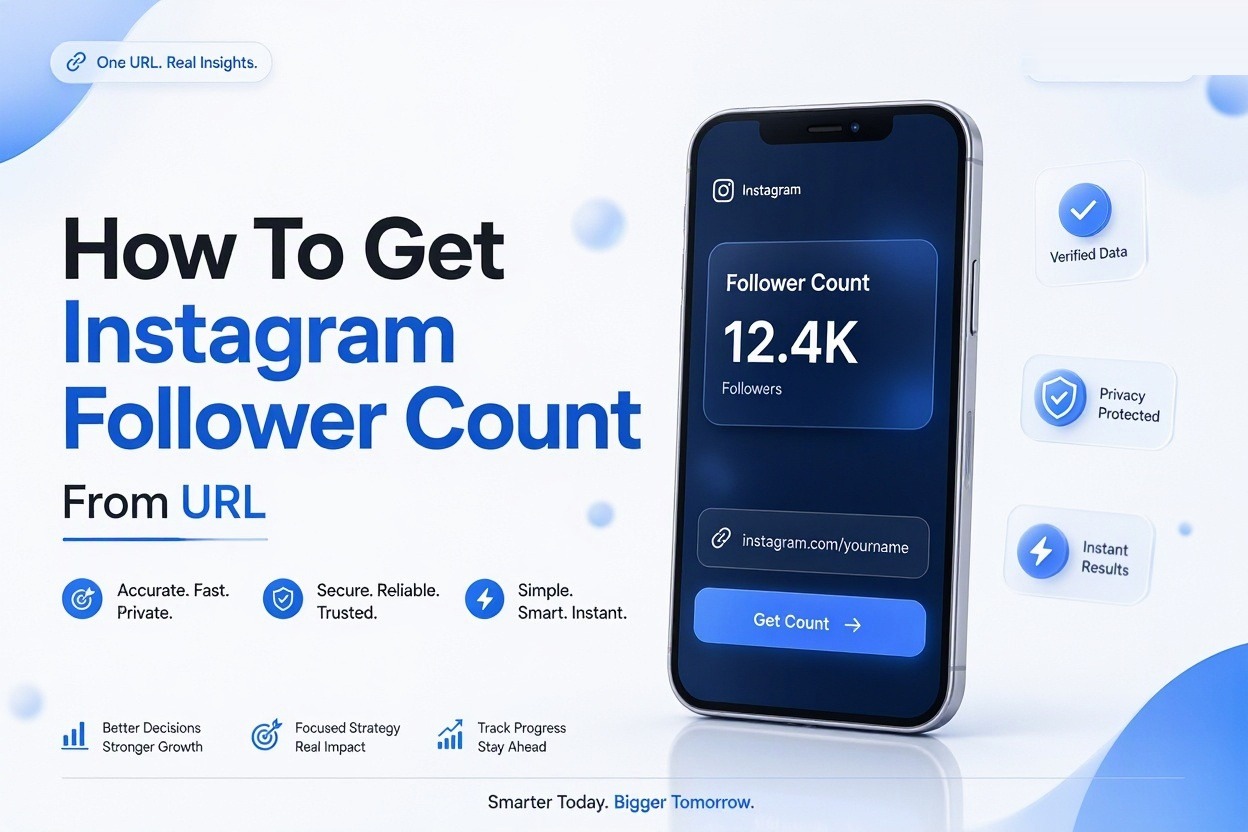
If you want to learn how to get instagram follower count from url, the fastest way is to open the link in a browser or the Instagram app and look at the number next to followers on the profile header. That number updates in real time and works for any public account without extra tools.
For most people, this manual check is enough. You can copy a profile link from a bio, a post, or a direct message, paste it into Chrome or Safari, and see the follower count instantly. Private accounts will hide this detail unless you are an approved follower.
Marketers, recruiters, and creators often need more than a quick glance. They track growth over time, compare competitors, or pull numbers for reports. In those cases, online lookup tools, social analytics dashboards, and Meta Business Suite can save a lot of time and provide history.
In this guide, you will learn simple manual methods, no-login workarounds, tool-based options, and troubleshooting tips. You will also see the limits of what a URL alone can reveal and how to track follower counts accurately.
Quick Answer to Get Instagram Follower Count Fast
Open the Instagram profile URL in any browser while logged in. The follower count appears at the top of the profile next to the username, profile photo, and post count. Tap or hover to confirm it is current.
On mobile, open the Instagram app, tap the link, and the profile loads directly. The follower number shows under the bio section. No download or extension is needed for this basic check.
If you are logged out, some profiles still show counts in search previews or embedded widgets. For private or age-restricted accounts, you will need to log in and follow the account to see accurate totals.
Why Follower Count From a Link Matters
Brands check follower counts before partnerships to gauge reach and credibility. A profile link shared in a pitch deck or email is often the first screening step. Getting the number quickly helps avoid wasting time on mismatched collaborations.
Creators and small businesses also use link-based checks for competitive research. You can compare your growth to peers, spot trends in your niche, and set realistic goals. It is fast, free, and requires no special access.
Agencies managing dozens of accounts rely on URL lookups to build media kits and audit influencer lists. Instead of asking for screenshots, they pull numbers directly from live profiles to keep reports honest and up to date.
Helpful Uses for Quick URL Lookups
1. Vet influencers before outreach by confirming audience size matches their claims.
2. Audit competitors monthly by saving profile links in a spreadsheet for review.
3. Verify your own public count after a campaign, giveaway, or viral reel.
4. Check for fake growth by noting sudden spikes that do not match engagement.
5. Share proof with clients by linking directly to live profiles instead of screenshots.
Manual Method Using the Instagram App and Website
To check on desktop, paste the profile URL into your browser address bar and press Enter. A typical URL looks like instagram.com/username. The follower count sits at the top alongside following and posts.
Make sure you are using the correct username spelling. Extra characters, underscores, or periods will lead to an error page. If the link is shortened, let it fully redirect before reading the number.
On iPhone or Android, tap the link from any app and choose Open in Instagram if prompted. The app version shows a cleaner layout with the bio, highlights, and follower total. Pull down to refresh for the latest figure.
If the profile does not load, try opening it in an incognito window or a different browser. Temporary cache issues or login conflicts can cause blank pages. Clearing cookies often fixes display problems quickly.
Using Online Tools to Check Follower Count
Third party Instagram viewers let you paste a username or profile link and see public stats. Popular options show follower count, following count, post count, engagement rate, and recent growth. Most work without an Instagram login.
To use one, copy the full profile URL, paste it into the tool search bar, and click lookup. Results usually appear in seconds. Stick to well known tools that do not ask for your password or require app permissions.
These tools are useful for bulk checks and historical tracking. Some offer charts, exportable reports, and competitor comparisons. Free plans often limit daily searches, while paid plans unlock API access and automated monitoring.
Always verify tool data against the live profile. Delays in caching can cause small differences. If accuracy matters for contracts or payments, take a screenshot of the live Instagram page with a timestamp.
Steps to Check Any Public Profile Link
1. Copy the complete Instagram profile URL from the source post, bio, or message.
2. Paste it into a browser or a trusted lookup tool search field.
3. Confirm the profile photo and name match the person or brand you expect.
4. Read the followers number at the top and note the date for your records.
5. Refresh or recheck later to track changes after campaigns or promotions.
How to Get Instagram Follower Count From URL Without Login
Instagram allows limited public previews without login, especially on desktop web. Pasting the URL into Chrome often shows the profile header with post count and sometimes follower count. Results vary by region and account privacy settings.
If the web page prompts for login, try adding a trailing slash or viewing the link through Google search cache. Searching the username plus Instagram sometimes shows the follower total in the snippet or knowledge panel.
Another option is to use public viewer sites that cache Instagram data. These sites fetch public profile information and display it without requiring you to sign in. They work best for large public accounts and active creators.
Remember that Meta frequently changes login requirements to reduce scraping. A method that works today may require login tomorrow. For consistent access, keeping a spare Instagram account for research is the most reliable approach.
Extracting Follower Count for Business and Creator Accounts
Business and creator profiles connected to Meta Business Suite show more detailed follower insights. If you own the account, paste your profile URL into Business Suite to see total followers, growth over seven to thirty days, and audience demographics.
For competitor business accounts, the public follower count is still visible from the URL. You will not see private analytics like reach or unfollows, but you can estimate growth by recording the number weekly in a simple tracker.
Agencies can request branded content access or add clients as partners to view deeper stats. This is common for ad campaigns where follower growth is a secondary KPI. Access must be granted through Account Center permissions.
If you manage multiple brands, save each profile link with labels in a dashboard. Consistent naming prevents mixups between similar usernames, backup accounts, and regional pages for the same company.
Method Comparison for Different Needs
- Manual Browser Check: Best for one time lookups. Free, instant, accurate. Requires login for private accounts. No history or export.
- Instagram Mobile App: Best for on the go checks. Clean layout, real time data. Needs app installed and account login. No bulk tracking.
- Online Lookup Tools: Best for research and competitors. Often no login, shows trends. Free limits apply, data may lag by hours.
- Meta Business Suite: Best for owned accounts. Detailed growth, demographics, export. Only works if you have admin or analyst access.
- API and Scraping: Best for developers. Scalable, automatable. Requires approval, tokens, and compliance with platform rules.
Comparing Manual Checks Versus Automated Tools
Manual checks are perfect when you only need one number quickly. Opening the URL directly gives you the live total with no delay, no cost, and no privacy risk. It is ideal for casual users and quick verifications.
Automated tools shine when you track many profiles over time. They can log follower counts daily, alert you to spikes, and calculate growth rate. This saves hours compared to visiting each link manually every morning.
Cost is another factor to consider. Manual methods are always free. Lookup tools offer free tiers but charge for bulk searches, historical data, and API calls. Choose based on volume and how often you need updates.
Accuracy also differs slightly. Live profiles are always current, while tools rely on cached data that may be hours old. For legal or payment decisions, always cross check automation against the live URL before finalizing.
Limitations of Reading Follower Count From a URL
A profile URL alone does not reveal private account totals to strangers. If the account is set to private, only approved followers can see the follower count. Everyone else will see a locked page with no stats.
Instagram also limits how much data guests can view. After several profile visits without login, you may hit a login wall or rate limit. This is designed to prevent bulk scraping and protect user privacy.
Follower count from a link does not show authenticity. An account with fifty thousand followers might have low engagement or purchased followers. Always check likes, comments, and video views alongside the total for context.
Technical limits affect developers too. The official Instagram Graph API only returns follower counts for business or creator accounts you manage. You cannot legally pull arbitrary follower numbers at scale without proper permissions.
Quick Checklist Before You Rely on a Number
Confirm the username matches exactly, including dots and underscores, to avoid lookalike accounts.
Check if the account is public, private, verified, or age restricted before recording the total.
Note the date and time, since follower counts can change by hundreds daily for large pages.
Compare live profile data with one trusted tool to catch caching delays or display errors.
Look at engagement on recent posts to judge whether the follower total reflects real influence.
Troubleshooting Common Follower Count Issues
If the URL shows Page Not Found, the username may have changed or the account was deleted. Search the name in Instagram or Google to find the new link. Old bookmarks often break after rebrands.
When the count shows zero or dashes, it usually means a loading error or temporary block. Refresh the page, switch networks, or log out and back in. VPNs and ad blockers sometimes interfere with Instagram scripts.
Discrepancies between app and web counts are normal for a few minutes. Instagram uses distributed servers that sync gradually. Wait ten to fifteen minutes and refresh both versions for alignment.
If a tool shows a very different number than the live profile, clear the tool cache or try another service. Some free viewers update only once per day. For critical reports, always cite the live profile as the source.
Best Practices for Tracking Instagram Growth
Create a simple spreadsheet with profile URL, date, follower count, and notes. Update it weekly for key accounts. Over time, this reveals growth patterns tied to launches, collaborations, or content changes.
Use consistent timing for checks to reduce noise. Follower counts fluctuate during the day due to time zones and bot cleanups. Checking every Monday morning gives cleaner comparisons than random checks.
Combine follower totals with engagement metrics for better insight. Track average likes, comments, shares, and reel views alongside followers. A smaller but highly engaged audience often outperforms a large passive one.
For client work, document your method clearly. State whether numbers came from live URLs or a specific tool on a specific date. Transparency builds trust and makes reports easy to audit later.
Smart Tracking Tips for Long Term Results
Save original profile links even if usernames change, and add alias notes for rebrands.
Set alerts in analytics tools for sudden drops that may signal shadow bans or purges.
Archive monthly screenshots in a shared folder so the whole team sees the same proof.
Review fake follower ratios quarterly using audit tools before renewing partnerships.
Conclusion
Trackingnumbers from shared links is simple once you know where to look and what affects accuracy. Manual checks work for quick answers, while dashboards help with trends and reporting at scale. Always verify usernames and compare engagement before making decisions based on totals. With consistent tracking habits, learning how to get instagram follower count from url becomes a reliable part of audience research and growth planning for any niche.
Frequently Asked Questions
Can You View Follower Count Without an Instagram Account?
Yes, you can often view public follower counts without an account by opening the profile URL in a browser. Some pages may require login after multiple views or for restricted accounts.
Why Does Follower Count Differ Between Tools and Live Profiles?
Tools use cached data that updates periodically, while live profiles update in near real time. Small differences are normal and usually resolve within a few hours after refresh.
How to Copy an Instagram Profile URL Correctly?
Open the profile, tap the three dots or share icon, then select Copy Profile URL. Paste it without extra spaces to avoid broken links or wrong accounts.
Can You Get Follower History From a Single URL?
A single URL only shows the current total. For history, use Meta insights for owned accounts or third party trackers that log daily changes over time.
Is It Allowed to Use Scrapers for Follower Counts?
Automated scraping without permission violates Instagram terms and can lead to blocks. Use the official API or manual checks to stay compliant and safe.